Free sports venue and coach listings
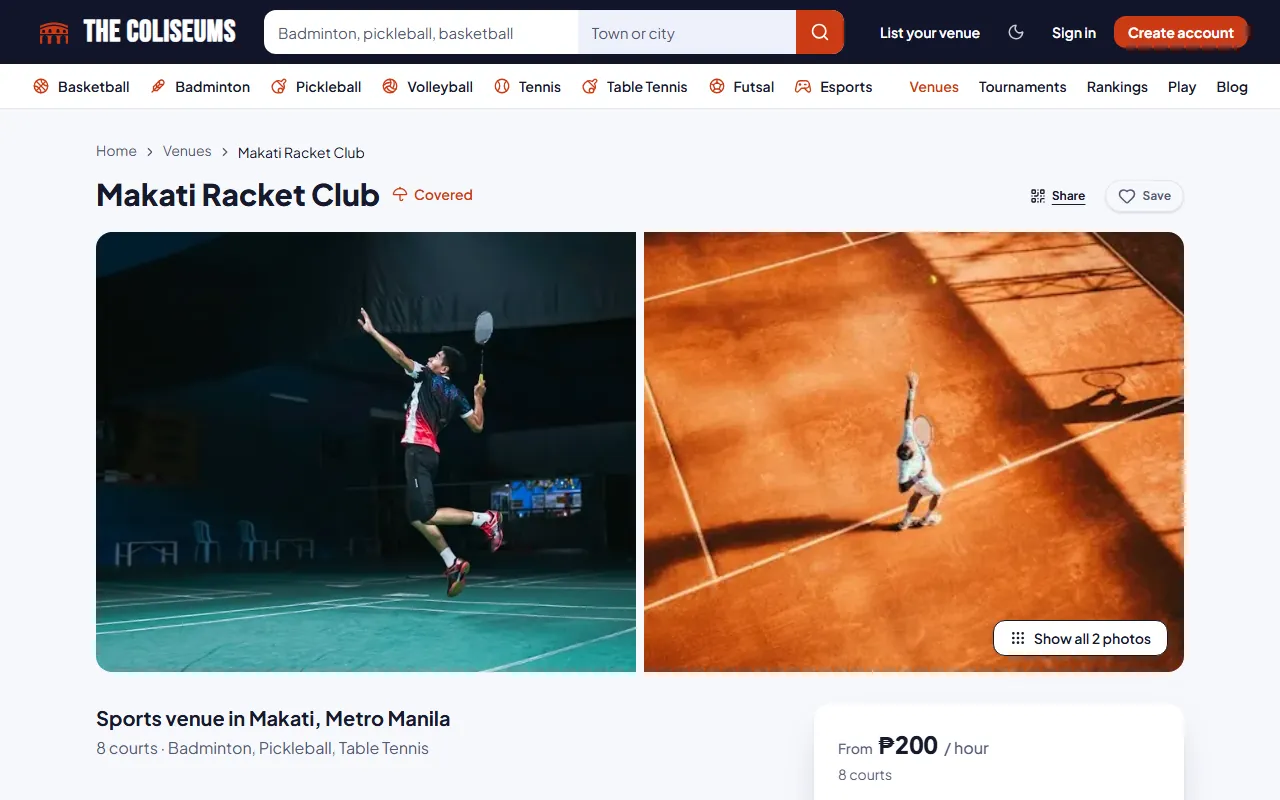
A free listing puts your sports venue or your coaching in front of players searching by sport and city. They see your photos, prices, hours and whether you are covered before they message anyone.
Free for venues and coaches. No booking fees at launch.
Compared with a Facebook page or a group post
- Being found
- A Facebook page or group postsPlayers have to know your page, or see the post in time
- On The ColiseumsIn the directory by sport and city, and on your own page in Google
- Prices and hours
- A Facebook page or group postsAsked again in every message
- On The ColiseumsOn the page, per court, always current
- Covered or lit
- A Facebook page or group postsAsk, or find out on arrival
- On The ColiseumsMarked on each court, with a Covered only filter
- Reviews
- A Facebook page or group postsAnyone can comment
- On The ColiseumsOnly from players who booked or registered
- Taking bookings
- A Facebook page or group postsBy chat, by hand
- On The ColiseumsOptional online booking on the same page
What goes on a free sports venue listing
- Photos and opening hours
- An amenity checklist with icons: parking, food and drinks, restrooms, showers, equipment rental, accessibility and more
- Each court, mat or lane marked as covered, indoor or outdoor, with lights marked for night play
- A Covered badge on the venue
- Its own page that search engines can index, so the venue can be found on Google
See how it looks in the venue directory, and add online court booking when you are ready to take bookings.
Sample Sports Center
Open 6:00 AM to 10:00 PM
Covered courts and night play
A player searching for a covered court wants to know before the trip whether the court is covered and lit for night play. Every court on The Coliseums carries that information, and the directory has a Covered only filter that removes everything else from the results.
Managing your listing
Claim a venue that is already listed
If your venue already has a page, you can claim it through the Facility Owner application. The Coliseums team approves each application. You can save your application as a draft and finish it later, and you manage the listing once you are approved. Approved owners can invite staff, such as a manager or front desk, without sharing a password.
Reviews from players who booked
Only players with a completed booking or registration can review a venue. Players can edit or delete their own reviews. Owners can reply, and can edit or delete their replies. Reviews and venues can be reported.
Organizers can use the same account to run tournaments.
Coach profiles
A coach has one public profile, however many sports they coach. The profile lists each sport with credentials, levels, rates and the venues where the coach works, and it appears in the Find a Coach directory. Coaches apply from their dashboard, and a draft profile can be prepared while the application is reviewed.
Sample Coach
₱500 an hour
Sample Sports Center
Questions
How do I list my sports venue for free?
Create an account, then apply as a Facility Owner from your dashboard. You can add your venue once your application is approved.
Who approves listings?
The Coliseums team approves Facility Owner, Organizer and Coach applications.
Can I list more than one sport as a coach?
Yes. One coach profile lists every sport you coach, with credentials, levels and rates for each.
Who can review my venue?
Only players who have completed a booking or a registration there.
Can my staff manage the listing?
Approved owners can invite staff, such as a manager or front desk, without sharing passwords.
Is the listing really free?
Yes. A venue page and a coach profile cost nothing to create or keep. Online bookings are optional, and carry no fee at launch.
Which sports can I list?
Badminton, pickleball, basketball, tennis, table tennis, volleyball, football, martial arts and more. One venue can list every sport it hosts, court by court.
Will my venue show on Google?
Each venue has its own page that search engines can index, with its name, city, sports, hours and prices, so players searching for courts near them can find it.
Do I have to take online bookings?
No. A listing works on its own as your venue’s page. Turn on online booking when you are ready, court by court.
My venue is already listed. How do I take it over?
Claim it through the Facility Owner application. Once The Coliseums team approves it, you manage the page.
Get in front of players
Create an account, then apply as a Facility Owner or a Coach from your dashboard. Listing is free.
What it costs
Listing a venue or a coaching profile costs nothing. Fees on bookings, registrations and coaching sessions are not charged at launch.